

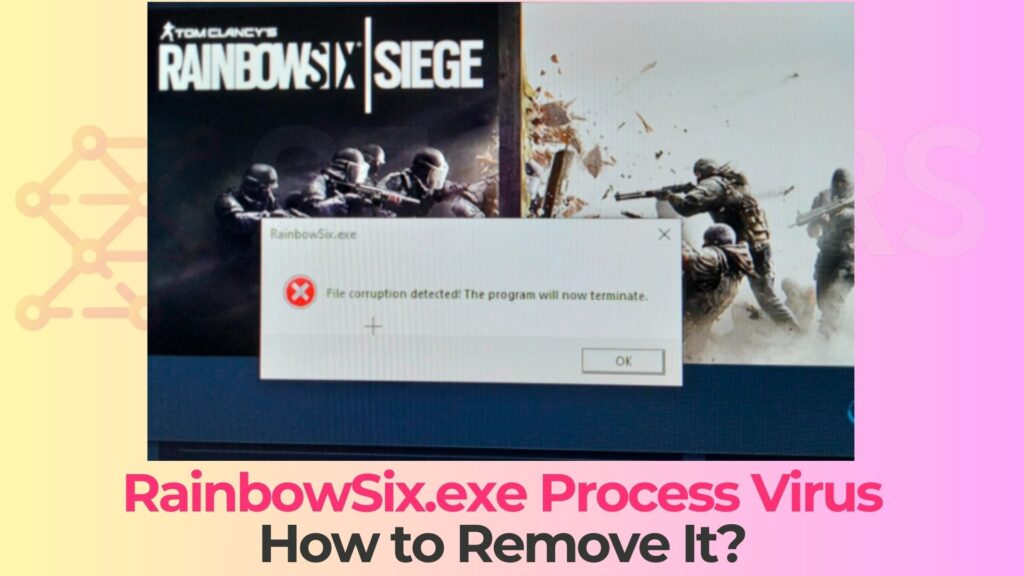
RainbowSix.exe is becoming a common search among Rainbow Six Siege players who suddenly see antivirus alerts related to RainbowSix.exe. If you just tried to launch or update the game and got a scary “trojan horse” or “RainbowSix.exe malware” warning, you are probably wondering whether your system is really compromised or if it is a false positive. Read this article to find out what RainbowSix.exe Virus actually is, how it spreads, what damage it can cause, and why you should follow a trusted removal guide to clean your PC safely.
Threat actors know that gamers expect to see files named like RainbowSix.exe, so they disguise malicious payloads behind the same filename. In many cases, this RainbowSix.exe Virus behaves as a fully-fledged trojan horse that hides in fake installers, cracked copies of Rainbow Six Siege, cheats, or “optimization” tools. Once executed, it can silently abuse your hardware, steal data, drop additional malware, or open backdoors to remote operators.
The sections below explain in detail what the RainbowSix.exe Virus is, how it can end up on your system, how to distinguish a legitimate RainbowSix.exe from a malicious one, and which high-level actions are typically required to remove it. At the end of the article you will find a dedicated “What Should You Do?” section with a call to action to follow the full removal paragraph provided beneath this article.
What Is RainbowSix.exe Virus?
RainbowSix.exe Virus is a generic name for malicious executables that use the filename RainbowSix.exe in order to masquerade as the legitimate Rainbow Six Siege game binary. In reality, the file can belong to different malware families, most commonly trojan horses such as cryptominers, credential-stealing trojans, loaders, or multi-stage backdoors.
RainbowSix.exe Details
| Type | Fake adult website. Browser Hijacker, Redirect, PUP |
| Removal Time | Around 5 Minutes |
| Removal Tool |
See If Your System Has Been Affected by malware
Download
Malware Removal Tool
|
Security researchers have documented multiple campaigns where malware samples adopt filenames that match popular games, including Rainbow Six Siege, to reduce suspicion and bypass superficial user checks. Threats such as advanced cryptomining trojans and loaders have been observed using game-themed names like RainbowSix.exe, FortniteClient-Win64-Shipping.exe, or EscapeFromTarkov.exe as part of their infection chain, or as decoys in multi-stage attacks.
Legitimate RainbowSix.exe vs RainbowSix.exe Virus
It is important to understand that there is a legitimate RainbowSix.exe file distributed by Ubisoft as part of Tom Clancy’s Rainbow Six Siege. This executable is typically located inside the official game directory (under Steam or Ubisoft Connect folders), digitally signed by Ubisoft, and updated via trusted game platforms.
By contrast, the malicious RainbowSix.exe Virus usually exhibits one or more of the following characteristics:
- Suspicious location: The file resides in unexpected folders such as Downloads, temporary directories, user profile subfolders, or arbitrary paths unrelated to Ubisoft or Steam.
- Lack of a valid digital signature: The executable is unsigned or signed by an unknown publisher instead of Ubisoft Entertainment.
- Unexpected size or behavior: The file is unusually large for a launcher, or shows behavior not typical of the game (e.g., running in the background without opening any window, repeatedly connecting to unknown servers).
- Antivirus detection: Security solutions classify it as a trojan, cryptominer, or other malware family, sometimes using generic labels that include RainbowSix.exe in the detection context.
In some incidents, even legitimate RainbowSix.exe binaries have triggered Windows Defender or third-party antivirus detections (for example as Trojan:Win32/Dorv.D!rfn or other generic names) right after updates or patches. These events show why it is crucial to analyze the file’s origin, path, and signature instead of relying only on the filename when you see a “RainbowSix.exe Virus” alert.
Trojan Horse Behavior
The RainbowSix.exe Virus is commonly described as a trojan horse because it pretends to be a harmless or desirable program – the Rainbow Six Siege game – while secretly performing malicious actions in the background. Typical trojan capabilities associated with game-themed executables include:
- Cryptomining: Abusing CPU and GPU resources to mine cryptocurrency without the user’s consent, leading to high usage, overheating, and performance degradation.
- Data theft: Harvesting saved credentials, browser data, and authentication tokens for platforms such as Steam, Ubisoft Connect, and other gaming or social accounts.
- Cheat-loader functions: Acting as a loader for cheats, but also installing additional payloads such as info-stealers or remote-access trojans.
- Persistence and lateral movement: Modifying the system registry, creating scheduled tasks or services, and potentially dropping or updating additional components over time.
In some documented cases, malware families that target gamer environments specifically look for processes like RainbowSix.exe and related anti-cheat services to kill them, bypass protection, or avoid detection while they operate in the background. This is another reason why any unexpected behavior around RainbowSix.exe deserves careful investigation.
How Did I Get RainbowSix.exe Virus on My PC?
Most victims do not get RainbowSix.exe Virus from the official Ubisoft or Steam distribution channels. Instead, infections typically occur through untrusted downloads, cracks, cheats, or manipulated installers that abuse the popularity of Rainbow Six Siege. Understanding how this trojan gets into your environment is essential for prevention.
Fake Game Installers and Cracked Copies
One of the most common infection vectors involves downloading “free” or “cracked” versions of Rainbow Six Siege from torrent sites, warez repositories, or random file-sharing platforms. Threat actors bundle malicious executables inside these packages and name them RainbowSix.exe so that they look legitimate to an unsuspecting user.
Typical scenarios include:
- Repacked installers: Setup programs that appear to install the game but silently drop malware components in the background, including a malicious RainbowSix.exe binary.
- Standalone launchers: A single executable advertised as a “portable” or “no-install” version of the game that is in fact a trojan horse.
- Keygens and patchers: Tools promising to unlock the full game or bypass DRM while simultaneously writing trojan files to the system under game-like names.
Because pirated software typically disables or bypasses security measures and comes from unverified sources, it is a prime distribution channel for RainbowSix.exe Virus and similar malware.
Cheats, Hacks, and “Boosting” Tools
Another high-risk vector for RainbowSix.exe malware involves game cheats, “aimbots,” “ESP” hacks, or rank-boosting tools. Many of these are distributed through forums, cheat marketplaces, or closed communities and are frequently packed with trojans and loaders.
In this context, malicious actors may:
- Bundle a trojan payload named RainbowSix.exe within a cheat pack or loader, claiming it is just a modified game launcher.
- Drop additional components that monitor Rainbow Six Siege processes, manipulate anti-cheat services, or steal game-related credentials and configuration data.
- Use game-themed filenames to appear more trustworthy and avoid immediate deletion by suspicious users.
Gamers looking for unfair advantages often disable antivirus or add exclusions for their cheat folders, inadvertently giving RainbowSix.exe Virus a perfect environment to run without hindrance.
Malicious Hosting and File-Sharing Platforms
Modern malware operations commonly use legitimate cloud services and content delivery networks (CDNs) to host trojan payloads. Security research has documented malicious campaigns where executable files named after popular games, including RainbowSix.exe, were hosted on platforms such as messaging app CDNs and then delivered via phishing links, social engineering, or cracked-software sites.
Infections through these channels usually follow this pattern:
- The user clicks a download link shared in a chat, on a forum, or in a video description claiming to provide “Rainbow Six Siege for free” or “performance-fixed RainbowSix.exe.”
- The downloaded file appears with a familiar name such as RainbowSix.exe, but originates from an unverified third-party server or CDN rather than Ubisoft.
- Running the executable launches the trojan, which may then communicate with command-and-control servers, fetch additional modules, or install persistent components.
Because the filename looks legitimate and the hosting service may be commonly used for benign purposes, many users run the file without scrutinizing its origin, giving RainbowSix.exe Virus a chance to infect the system.
What Does RainbowSix.exe Virus Do?
Once executed, RainbowSix.exe Virus typically behaves like a general-purpose trojan. Its exact capabilities depend on the specific malware family, but several common behaviors have been observed in game-related trojans disguised as RainbowSix.exe or similar filenames.
System Compromise and Persistence
The first objective of RainbowSix.exe Virus is to establish a stable foothold on the infected system. To achieve this, it may:
- Drop additional files: Copy itself or related modules into obscure folders, such as subdirectories of AppData, ProgramData, or temporary paths, often using random names to avoid easy detection.
- Modify system settings: Create or alter registry keys, scheduled tasks, or services that ensure the malware starts automatically at boot or at regular intervals.
- Masquerade as legitimate processes: Use process names or descriptions that mimic legitimate Rainbow Six Siege components, game launchers, or system services.
Once persistence is in place, the trojan can survive reboots and remain active for long periods unless it is specifically detected and removed by a security solution.
Resource Abuse and Cryptomining
Many modern RainbowSix.exe trojan samples are associated with cryptomining payloads. In such cases, the malware silently runs mining code in the background, hijacking CPU and GPU resources to generate cryptocurrency for the attacker. This can manifest as:
- Constantly high CPU or GPU usage even when you are not playing any game.
- System overheating, loud fans, and reduced performance in legitimate applications.
- Noticeable lag and stuttering in Rainbow Six Siege or other games due to resource contention.
Because gaming systems usually have powerful hardware, they are ideal targets for malicious miners, and disguising the executable as RainbowSix.exe makes the activity easier to hide among normal gaming processes.
Data Theft and Account Compromise
Other variants of RainbowSix.exe Virus focus on stealing sensitive data. These information-stealing trojans may target:
- Stored browser passwords and autofill data for gaming, email, and social media accounts.
- Session tokens, cookies, or configuration files associated with Steam, Ubisoft Connect, and other game platforms.
- Wallet files, cryptocurrency extensions, or other financial information stored on the machine.
Once this data is exfiltrated to a remote server, attackers can compromise your accounts, trade in-game items, perform fraudulent purchases, or attempt further identity theft.
Interference with Games and Anti-Cheat Systems
Because RainbowSix.exe Virus often runs in environments with anti-cheat software, it may incorporate specific routines to evade or disrupt such protections. Some trojans that target gamers include code to:
- Monitor and kill game or anti-cheat processes, including RainbowSix.exe and related services, to avoid conflicts or detection.
- Inject code into game processes to manipulate behavior, which can trigger bans or integrity checks from the game provider.
- Alter firewall rules or network settings to facilitate communication with control servers or to hide malicious traffic.
These behaviors not only compromise system security but can also lead to account bans, game crashes, and persistent connectivity problems in Rainbow Six Siege.
How to Remove It
Removing RainbowSix.exe Virus is more complex than simply deleting a file from your game directory. Because it typically behaves as a trojan with persistence mechanisms, manual removal can be risky if you are not familiar with system internals. Instead, it is strongly recommended to follow a structured, security-tool-based removal procedure.
In most real-world cases, a thorough RainbowSix.exe Virus cleanup involves several coordinated actions rather than a single click. These actions usually include isolating the affected system from the network, verifying whether the detected RainbowSix.exe is legitimate or malicious, and then using reputable anti-malware tools to scan and disinfect the machine. Advanced users may additionally review autorun entries, scheduled tasks, and suspicious files created around the time of the infection.
Before attempting any remediation on your own, keep the following best practices in mind:
- Do not blindly trust the filename: Confirm whether the RainbowSix.exe flagged by your antivirus is located in the official Ubisoft or Steam folder and check its digital signature before deciding whether it is a true infection or a false positive.
- Rely on well-known security solutions: Use reputable anti-malware scanners that detect trojan behavior and not just the filename, and avoid random “fixers” or unknown tools that claim to repair game files.
- Avoid deleting game files in panic: If the executable is legitimate but misdetected, removing it without proper verification can break your game installation and create additional issues.
- Consider professional guidance: For heavily compromised systems, or if you see multiple suspicious processes and infections, following a detailed removal guide or consulting security forums is safer than experimenting.
The dedicated removal paragraph that follows this article is designed to provide clear technical guidance and to walk you through the necessary checks and cleanup tasks in a safe, controlled way.
What Should You Do?
If your antivirus or Windows Defender is flagging RainbowSix.exe as a trojan, you should take the alert seriously, especially if the file did not come from the official Rainbow Six Siege installation path or if you recently downloaded cracks, cheats, or “free” versions of the game. At the same time, remember that false positives are possible, so you should avoid impulsively deleting core game files without proper analysis.
From this point forward, the most important steps are to treat RainbowSix.exe Virus as a real security threat, to stop launching any suspicious copies of the file, and to perform a thorough malware check using trustworthy security software. Do not rely on ad-hoc tricks, dubious “optimizers,” or cheat-related loaders that promise to fix the issue; these are common delivery mechanisms for the trojan itself.
To proceed safely and make sure RainbowSix.exe Virus is fully eradicated from your system, follow the detailed removal paragraph that appears immediately beneath this article. It will guide you through the necessary checks, scans, and cleanup actions in a way that minimizes the risk of data loss, recurring infections, and additional damage to your operating system. Taking the time to follow that dedicated removal guidance now is the best way to protect your accounts, your hardware, and your overall gaming experience.

Ventsislav Krastev
Ventsislav is a cybersecurity expert at SensorsTechForum since 2015. He has been researching, covering, helping victims with the latest malware infections plus testing and reviewing software and the newest tech developments. Having graduated Marketing as well, Ventsislav also has passion for learning new shifts and innovations in cybersecurity that become game changers. After studying Value Chain Management, Network Administration and Computer Administration of System Applications, he found his true calling within the cybersecrurity industry and is a strong believer in the education of every user towards online safety and security.
Follow Me: