

What is GRouter86.exe?
GRouter86.exe appeared in your Task Manager, your antivirus flagged it as a proxy trojan or infostealer, or a security forum pointed you here while you were dealing with a malware infection. Read this article right now before doing anything, then follow the removal guide — the identification step is critical before cleanup.
GRouter86.exe has two completely different identities depending on where it appears on the system. The legitimate version is a network helper component associated with Qihoo 360’s suite of Chinese security and utility software (360软件小助手), and if 360 software was deliberately installed by the user, this file running from inside the 360 installation directory is expected behavior. The malicious version — which is what this article primarily addresses — is an entirely different file that uses the same name to disguise itself. Active security community reports confirm that GRouter86.exe is being distributed through pirated game installers, cracked software packages, and fake update pages, appearing on systems as a proxy trojan, an infostealer component, and in some cases alongside a separate coin-miner process. Users in active removal assistance threads this week report encountering it after downloading a game from an untrusted source, frequently alongside other malware components including crypt_worker_v4. The file running from an unusual path — particularly AppData or Temp rather than a 360 installation folder — is the malicious version.
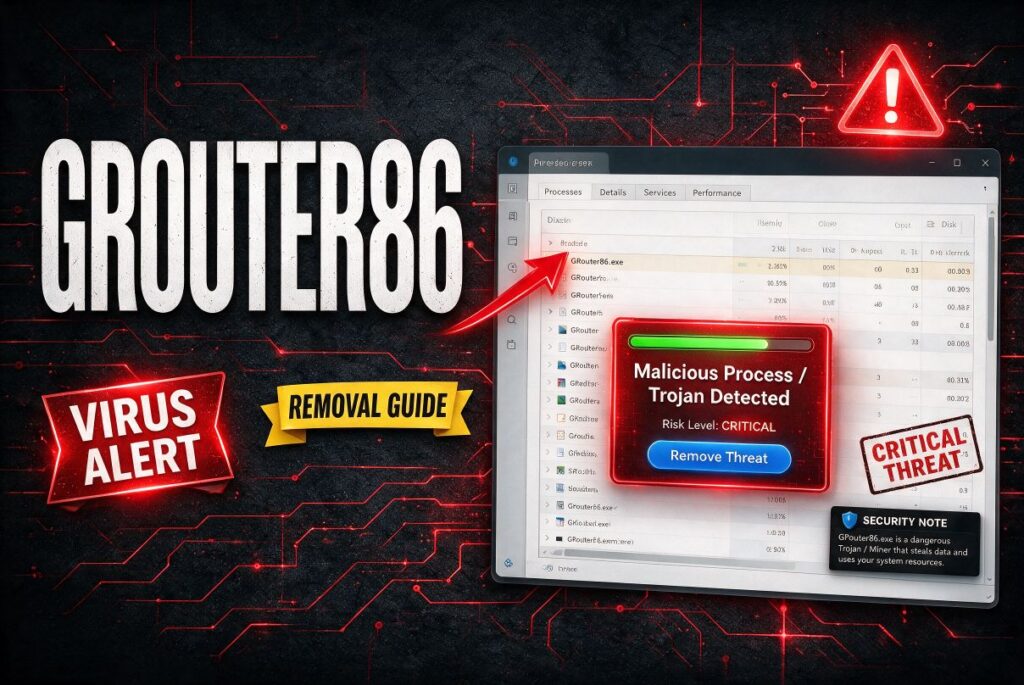
GRouter86.exe Short Overview
| Type | Proxy trojan and infostealer process actively distributed through pirated game downloads and cracked software. Uses the same filename as a legitimate Qihoo 360 network helper component to disguise itself. Confirmed by multiple active security forum reports from this week. Frequently appears alongside additional malware including crypt_worker_v4. |
| Symptoms | GRouter86.exe appearing in Task Manager running from AppData, Temp, or an unexpected path unrelated to any 360 software installation. Antivirus flagging it as a proxy trojan, infostealer, or Trojan. High CPU or network usage tied to the process. Other malware components (crypt_worker_v4 or similar) found on the same system. The file reappearing after manual deletion. |
| Removal Time | Approximately 15 minutes for a full-system scan |
| Removal Tool | See If Your System Has Been Affected by malware
Download
Malware Removal Tool
|
How Did I Get GRouter86.exe?
The malicious GRouter86.exe arrives through the same documented routes as other proxy trojans and infostealers. Here is how it typically reaches a system:
- Pirated game downloads and cracked software — The most consistently reported delivery route in active security forum threads: downloading a pirated game, a cracked application, or a mod from an unofficial source delivers a package that includes GRouter86.exe alongside the actual content. The malware is bundled into the installer and runs automatically during the “game” or “crack” setup.
- Fake software update pages — A redirect from an ad-heavy or compromised page can present a fake browser or system update prompt; accepting the “update” installs the malicious package including GRouter86.exe.
- Bundled alongside other malware components — Active removal threads document GRouter86.exe appearing together with other malware including crypt_worker_v4 (a coin miner), suggesting it is part of a multi-component infection package rather than an isolated file.
- Software bundling with freeware from unofficial sources — Unofficial download sites that wrap popular free tools in their own installers can include GRouter86.exe as a bundled component through software bundling.
What Does GRouter86.exe Do?
When the malicious version is running, it causes harm through several simultaneous mechanisms. Here is the full picture:
- Operates as a proxy trojan routing traffic through the infected machine — Proxy trojans use the infected device as a network relay, routing other actors’ internet traffic through it without authorization. This exposes the victim to liability for any network activity carried out through their IP address and consumes bandwidth without consent.
- Functions as an infostealer component — Multiple security forum threads specifically label GRouter86.exe as an infostealer, meaning it actively harvests credentials, session cookies, saved browser passwords, and potentially banking details from the infected machine for transmission to the attackers.
- Installs alongside further malware payloads — The consistent co-appearance with crypt_worker_v4 and other components confirms GRouter86.exe arrives as part of a multi-threat infection package. The presence of one component means the system should be treated as hosting multiple payloads, not just the one file.
- Uses persistence mechanisms to survive simple deletion — If only the GRouter86.exe file is deleted without removing the parent installer or its associated scheduled tasks and registry entries, the parent component will restore the file. Removal requires targeting the full infection chain, not just the visible process.
What Should You Do?
First, identify which version you have: open Task Manager (Ctrl+Shift+Esc), right-click the GRouter86.exe process, and select Open File Location. If the path is inside a 360 installation folder (typically C:Program Files360…) and you deliberately installed 360 software, the file may be legitimate; uninstall the 360 application through Windows Settings if you do not want it. If the path is in AppData, Temp, a game folder, or anywhere other than an expected 360 installation directory, treat it as malicious immediately. For the malicious version: do not just delete the file. Boot into Safe Mode to prevent the malware from blocking removal, then run a full scan with a dedicated anti-malware tool to catch all associated components, scheduled tasks, and registry entries. Stop all sensitive logins from the infected machine until cleanup is confirmed complete. Change all passwords and enable 2FA on all accounts from a clean device after the scan confirms the infection is gone, since infostealer activity means credentials entered while infected should be considered compromised. Follow the complete removal guide below this article for the full step-by-step process.

Ventsislav Krastev
Ventsislav is a cybersecurity expert at SensorsTechForum since 2015. He has been researching, covering, helping victims with the latest malware infections plus testing and reviewing software and the newest tech developments. Having graduated Marketing as well, Ventsislav also has passion for learning new shifts and innovations in cybersecurity that become game changers. After studying Value Chain Management, Network Administration and Computer Administration of System Applications, he found his true calling within the cybersecrurity industry and is a strong believer in the education of every user towards online safety and security.
Follow Me: