

If Proadrast.com has started spamming pop-ups or “virus alerts” on your screen, it is normal to ask yourself: “Is Proadrast.com safe, or is this a virus?” In reality, this domain is tied to aggressive browser notification abuse and scam content rather than any legitimate security function. Read this article to find out exactly what Proadrast.com is, how you ended up seeing it, what dangers it poses, and what you should do to remove its notifications and protect your system.
What Is Proadrast.com?
Proadrast.com is a malicious, scam-oriented website that abuses the browser’s push notification feature to deliver intrusive ads, fake security warnings, and links to potentially harmful content. It is not an antivirus product or a legitimate technical support site. Instead, it is a browser-based threat that relies on social engineering to obtain notification permissions and then weaponizes those notifications for fraudulent or risky campaigns.
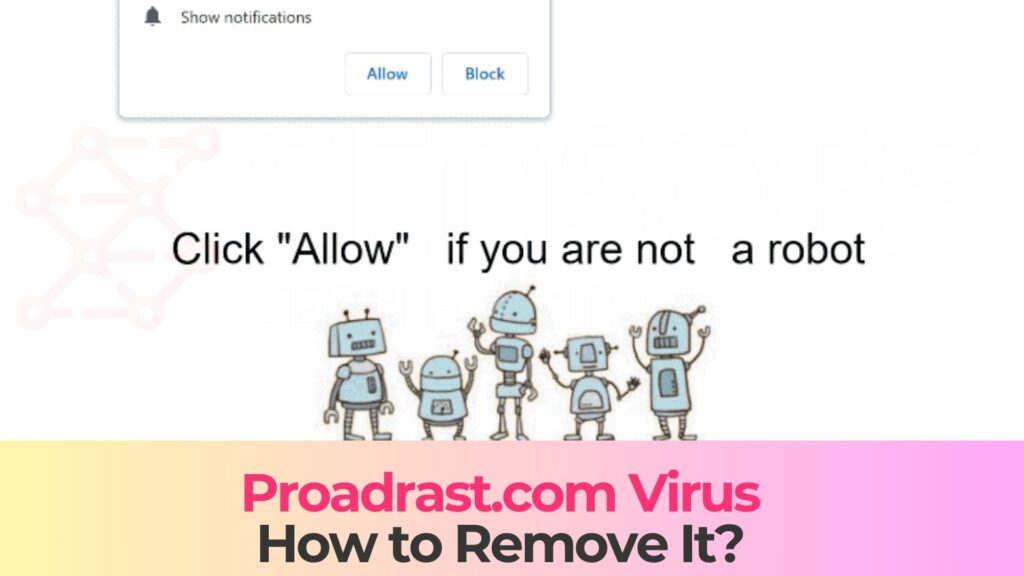
Technically, Proadrast.com is a push notification spam domain. It belongs to the class of rogue pages that show deceptive prompts such as “Click Allow to continue” or “Allow to scan your PC”. Once the user clicks “Allow”, the site gains permission to send notifications directly to the desktop or mobile device, even when the browser is closed.
Because the content pushed through these notifications can lead to phishing pages, malware installers, and financial scams, Proadrast.com is considered unsafe and is often flagged by security tools as a high-risk or malicious website.
Short Overview
| Type | Scam, Fake Website, Browser Hijacker, Redirect, PUA |
| Short Description | A suspicious website and rogue search engine that hijacks your browsers and causes redirects. |
| Symptoms | Unwanted pop-ups may start appearing while you are browsing the web. A browser hijacker may be downloaded without your knowledge. |
| Removal Time | Approximately 15 minutes for a full-system scan |
| Removal Tool |
See If Your System Has Been Affected by malware
Download
Malware Removal Tool
|
Proadrast.com – Virus, Scam, or Just Ads?
From a strict technical perspective, Proadrast.com is not a traditional file-infecting virus. It does not self-replicate or directly modify system files. However, it behaves like a malicious web-based component in a larger infection chain and is commonly referred to as the “Proadrast.com virus” because of the following behavior:
- Notification spam engine – Once allowed, it floods the victim with push notifications that show alarming messages, clickbait, or adult/gambling/crypto content.
- Scam and malware distribution vector – The notifications often link to pages that promote fake security tools, bogus giveaways, investment scams, or installers that may contain potentially unwanted programs (PUPs) and malware.
- Security warning impersonation – Proadrast.com may mimic legitimate security warnings, claiming that the device is infected, that antivirus protection is disabled, or that a “critical virus” has been detected, pushing the user to click a button to “scan” or “clean” the system.
- Data and privacy risk – Through redirects, ad scripts, and tracking pixels, the ecosystem around Proadrast.com can collect data such as IP address, browser fingerprints, and browsing behavior.
Because of this, even though Proadrast.com itself is “just a website”, it acts as a front-end for more serious threats and should be treated as unsafe.
Typical Lures and Social Engineering Tricks
When Proadrast.com loads in the browser, it usually does not show legitimate content. Instead, it presents a full-screen background with a small notification permission dialog and a fake overlay message. Common examples include:
- “Click Allow to verify you are not a robot” (fake CAPTCHA).
- “Press Allow to play the video” (fake media gate).
- “Allow notifications to download your file” (fake download gate).
- Fake antivirus warnings claiming a critical infection and asking the user to “Allow” or “Fix now”.
None of these are genuine requirements. They are pure social engineering, crafted to make the user consent to notifications that will later be used for aggressive advertising and scam campaigns.
How Did I Get Proadrast.com Notifications?
Most victims do not manually type “Proadrast.com” into their browser. Instead, they arrive at this rogue page through redirects, malvertising, or adware-type components installed on the system or inside the browser. In many cases, Proadrast.com is only one hop in a longer chain of shady domains.
Common Ways Users End Up on Proadrast.com
There are several typical scenarios in which you may encounter Proadrast.com:
- Clicking malicious or misleading ads – Free streaming portals, torrent sites, adult pages, and other high-risk websites frequently display low-quality ads that redirect users to scam domains like Proadrast.com.
- Compromised or aggressive websites – Legitimate sites that use rogue ad networks may trigger automatic redirects that take you to Proadrast.com without you explicitly clicking anything.
- Adware and unwanted browser extensions – Potentially unwanted programs or shady extensions installed on your system can open Proadrast.com in new tabs, inject pop-ups, or change your browsing behavior.
- Spam emails, messages, or push campaigns – Links in phishing emails, SMS messages, or social media DMs can lead to a redirect chain that eventually lands you on Proadrast.com, where you are then asked to enable notifications.
- Fake download or play buttons – Some content-sharing sites display multiple “Download” or “Play” buttons, only one of which is real. Clicking the wrong one may cause a redirect to Proadrast.com or a similar notification scam site.
In virtually all cases, your presence on Proadrast.com is a sign that you have encountered untrusted advertising infrastructure or potentially unwanted software.
Why Browsers Allow This Behavior
Modern browsers such as Chrome, Edge, Firefox, and others support web push notifications. This feature was designed for legitimate use cases like email alerts, messaging, news updates, and collaboration tools. Before a site can send notifications, the browser displays a small prompt asking the user to “Allow” or “Block”.
Rogue domains exploit this by hiding their intentions behind fake CAPTCHAs or video gates, using alarming wording to pressure the user, and leveraging the browser’s notification mechanism once permission is granted.
What Does Proadrast.com Do?
After Proadrast.com obtains notification permissions, it transforms your browser into a delivery channel for unsolicited and potentially dangerous content. The threat does not come from a local executable on disk, but from the remote behavior of the domain and the sites it redirects to.
Observable Symptoms of the Proadrast.com “Virus”
If Proadrast.com has been allowed to send notifications, you are likely to see one or more of the following symptoms:
- Frequent push notifications appearing on the desktop or mobile device.
- Fake antivirus or system alerts claiming your computer is infected.
- Links to dubious content including adult websites, gambling portals, or scam pages.
- Unexpected new tabs and pop-ups opening by themselves.
- Noticeable distraction and reduced productivity caused by constant interruptions.
In some environments, related adware or tracking components may also modify your default search engine, start page, or new tab to advertisement-heavy or misleading portals.
Security and Privacy Risks of Proadrast.com
Although Proadrast.com is only a web page, the campaigns it participates in can create serious security and privacy risks:
- Malware infections – Some notifications link to installers containing adware or browser hijackers.
- Account hijacking and credential theft – Redirects may take you to phishing pages imitating banking or email portals.
- Financial scams – The ecosystem includes fake investment platforms and fraudulent tech support pages.
- Identity theft and profiling – Tracking components function similarly to trackers, gathering behavioral and device data.
- Increased attack surface – Constant malicious redirects raise your exposure to exploit pages.
Because Proadrast.com serves as a gateway to broader threats, it is considered unsafe and should be blocked or removed as soon as possible.
Is Proadrast.com Safe?
No. Proadrast.com is not safe. It has no legitimate business purpose and exists primarily to trick users into subscribing to spam notifications that may lead to malware infections, financial loss, or identity theft. Security vendors consistently classify it as malicious.
How to Remove It
Because Proadrast.com is a web-based threat that relies on browser permissions and potentially bundled software, removal focuses on revoking its notification access, cleaning the browser, and scanning the system for unwanted components.
Core Cleanup Actions (Conceptual Overview)
In a typical cleanup scenario, you should:
- Revoke notification permissions – Remove Proadrast.com from allowed notification senders.
- Audit extensions – Remove suspicious add-ons, especially those tied to ads or coupons.
- Scan for adware or PUPs – Detect hidden components responsible for redirects and pop-ups.
- Review installed programs – Uninstall unfamiliar or recently added software.
- Clear browser data – Remove cached site data that may support persistent tracking.
- Reset browser settings if necessary.
A structured, step-by-step removal guide should be followed to ensure everything malicious is removed.
Hardening Your Browser Against Future Notification Scams
Once you have dealt with Proadrast.com, you can reduce future risks by adjusting browser settings and browsing habits:
- Disable or restrict notification prompts entirely or only allow trusted sites.
- Use reputable content blockers to reduce exposure to malicious ads and redirects.
- Avoid high-risk sites such as illegal streaming or download portals.
- Keep software updated to minimize vulnerability exploitation risks.
- Be skeptical of browser-based warnings — real antivirus alerts come from your security software, not random websites.
What Should You Do?
If you are seeing Proadrast.com notifications, treat them as a sign that your browser is enrolled in a malicious notification campaign. The safest response is to stop clicking on any pop-ups, close suspicious tabs immediately, and begin a full cleanup.
The removal guide below will explain how to revoke Proadrast.com permissions, clean your browser, and scan your device for hidden threats to fully eliminate its behavior.

Ventsislav Krastev
Ventsislav is a cybersecurity expert at SensorsTechForum since 2015. He has been researching, covering, helping victims with the latest malware infections plus testing and reviewing software and the newest tech developments. Having graduated Marketing as well, Ventsislav also has passion for learning new shifts and innovations in cybersecurity that become game changers. After studying Value Chain Management, Network Administration and Computer Administration of System Applications, he found his true calling within the cybersecrurity industry and is a strong believer in the education of every user towards online safety and security.
Follow Me: