

What is Healthygeorge.com?
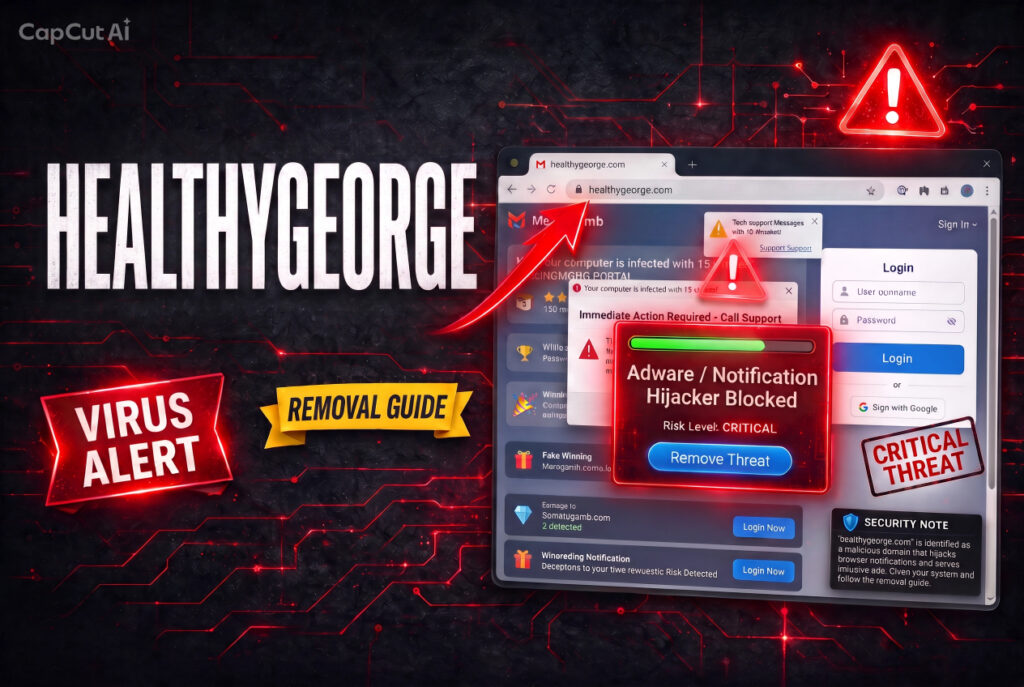
Pop-up ads and fake virus warnings from Healthygeorge.com are appearing on your screen even when the browser is closed, or your computer started redirecting to it without any deliberate navigation. Read this removal guide right now and follow the steps at the bottom immediately.
Healthygeorge.com is flagged as a potential security threat by SpyHunter’s threat database, which classifies the detection as requiring immediate attention and indicating the system may be compromised by a Trojan-type threat. MalwareTips has also published a dedicated removal guide confirming the domain’s active harmful behavior. If a computer starts redirecting to Healthygeorge.com for no apparent reason, an adware program is most likely already installed on the device. Browser pop-ups then appear recommending fake software updates or other unwanted programs, and additional unwanted software may get installed without the user’s knowledge.
Healthygeorge.com Short Overview
| Type | Push notification spam / adware redirect domain. Flagged by SpyHunter’s threat database as a potential Trojan-type security threat requiring immediate attention. Confirmed by MalwareTips with a dedicated removal guide. If the computer is redirecting to Healthygeorge.com without deliberate navigation, adware is most likely already installed. Delivers fake software update recommendations and fake virus alerts. |
| Symptoms | Computer redirecting to Healthygeorge.com without deliberate navigation. Browser pop-ups appearing that recommend fake software updates or installations. Fake virus alerts or tech support scam messages pushed through browser notifications. SpyHunter or another security tool flagging the domain as a threat. Desktop notification spam from the domain appearing even after the browser is closed. |
| Removal Time | Approximately 15 minutes for a full-system scan |
| Removal Tool | See If Your System Has Been Affected by malware
Download
Malware Removal Tool
|
How Did I Get Healthygeorge.com Pop-ups?
Here is how the Healthygeorge.com redirect and notification problem typically reaches a device:
- Adware already installed on the device generating the redirects — The primary documented route: if the computer is redirecting to Healthygeorge.com without deliberate navigation, an adware program or PUP installed through software bundling is actively generating the redirects. No browser-level fix alone will stop it.
- A deceptive notification permission prompt — A redirect may have presented a “Click Allow to continue” or fake CAPTCHA prompt; clicking it granted Healthygeorge.com permanent push notification permissions that now deliver pop-ups at the OS level.
- Software bundling with free downloads from unofficial sources — A free program downloaded from a third-party site included the adware component as a bundled addition, installing silently alongside the expected software.
- Malicious advertising redirect chains — Clicking an ad on a low-quality streaming or download site can route through a chain of automatic redirects that land on this domain or its notification permission prompt.
What Does Healthygeorge.com Do?
SpyHunter’s Trojan-type classification and MalwareTips’ documented removal guide confirm the full risk picture. Here is what the domain does:
- Displays fake software update and installation recommendations — Browser pop-ups appear recommending fake updates or other unwanted programs, designed to push the visitor into installing further malware or adware under the guise of a legitimate maintenance step.
- Delivers fake virus alerts and scareware prompts — Notifications claim the device is infected with a specific number of threats and push toward scareware purchases or fraudulent fake tech support lines requesting remote device access.
- Generates ongoing OS-level notification spam — If notification permission was granted, pop-ups appear at all hours regardless of browser state, bypassing all standard browser pop-up blockers because they arrive through the OS notification channel itself.
- Collects browsing behavior through embedded trackers — Embedded trackers collect browsing behavior and device data for data collection and ad targeting throughout every session.
What Should You Do?
Open your browser notification settings and remove Healthygeorge.com from the allowed list — in Chrome: Settings, then Privacy and Security, then Site Settings, then Notifications. Check your installed programs list for anything unfamiliar added around the time the pop-ups started and uninstall it. Remove any suspicious browser extensions. Run a full system scan with a dedicated anti-malware tool — SpyHunter is confirmed to detect and remove Healthygeorge.com — to eliminate the adware component generating the redirects. Blocking the domain alone will not prevent a replacement from appearing within days if the underlying adware remains on the system. Clear browsing data using the “All Time” range to flush cached scripts. Follow the complete removal guide below this article for the full steps across Windows, Mac, and Android.

Ventsislav Krastev
Ventsislav is a cybersecurity expert at SensorsTechForum since 2015. He has been researching, covering, helping victims with the latest malware infections plus testing and reviewing software and the newest tech developments. Having graduated Marketing as well, Ventsislav also has passion for learning new shifts and innovations in cybersecurity that become game changers. After studying Value Chain Management, Network Administration and Computer Administration of System Applications, he found his true calling within the cybersecrurity industry and is a strong believer in the education of every user towards online safety and security.
Follow Me: