

If you suddenly started seeing Credovian.co.in pop-ups or “virus alerts” on your screen, you might be asking yourself a simple question: is this site safe or is it a threat to your system? In most cases, domains like Credovian.co.in are not harmless content portals but part of a larger scheme to abuse browser notifications, push scam content, and redirect users to potentially dangerous pages. Read this article to find out what Credovian.co.in really does, why security researchers classify it as unsafe, and what you should do next to protect your device and data.
This Credovian.co.in virus check explains how the site works at a technical level, how its notification spam is delivered, and what risks it introduces in terms of privacy, phishing, and additional malware exposure. The goal is to help you understand that even though Credovian.co.in is “just a website”, its behavior fits into the broader category of web push scams and browser-based threats that should be handled as seriously as traditional malware.
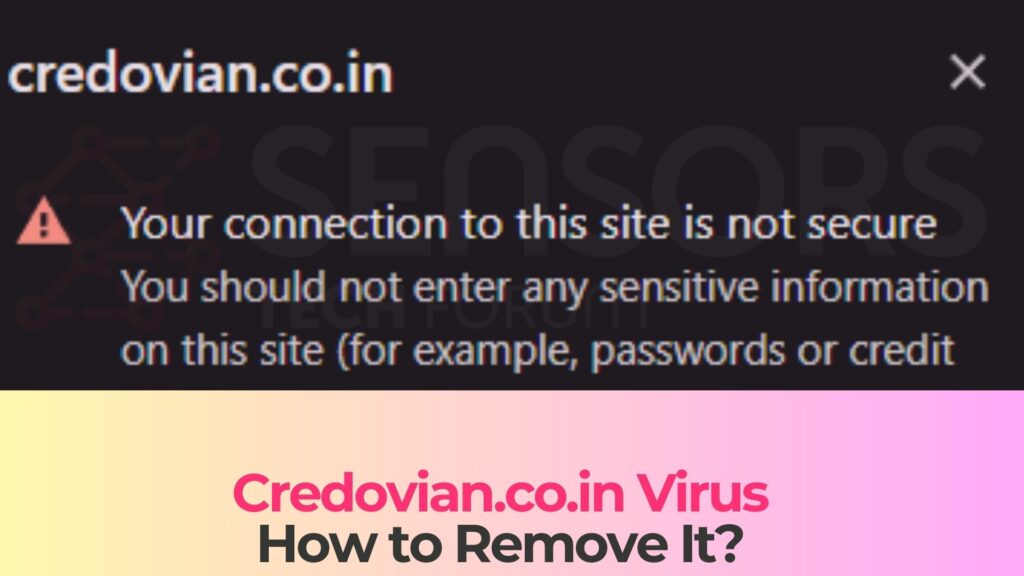
Short Overview
| Type | Scam, Fake Website, Browser Hijacker, Redirect, PUA |
| Short Description | A suspicious website and rogue search engine that hijacks your browsers and causes redirects. |
| Symptoms | Unwanted pop-ups may start appearing while you are browsing the web. A browser hijacker may be downloaded without your knowledge. |
| Removal Time | Approximately 15 minutes for a full-system scan |
| Removal Tool |
See If Your System Has Been Affected by malware
Download
Malware Removal Tool
|
What Is Credovian.co.in?
Credovian.co.in is a deceptive website that abuses the web push notification feature built into modern browsers. Instead of offering legitimate content, it displays misleading prompts designed to trick users into clicking the “Allow” button in the notification permission dialog. Once this permission is granted, the site starts flooding the user with unwanted adverts, fake alerts, and links to other risky or scam pages.
Security analysts describe Credovian.co.in as a notification spam or “malicious ads” source, not as a classic file-infecting virus. It does not need to install a binary on your system to cause damage; its primary objective is to hijack the browser’s notification channel and use it as a persistent delivery vector for social-engineering attacks, subscription traps, and other fraudulent content. Much of this is similar to typical adware behavior.
On the surface, the page may claim that you must click “Allow” to confirm you are not a robot, watch a video, start a download, or proceed to requested content. These pretexts are fake. They exist solely to make you approve notifications that Credovian.co.in will later abuse to send spam straight to your desktop, notification center, or lock screen, even when the browser is closed. These tricks are common in pop-ups and scam alert campaigns.
Key Characteristics of Credovian.co.in
From a technical and behavioral perspective, Credovian.co.in exhibits the typical indicators of a web push scam site:
- Deceptive permission dialog: The domain overlays the browser’s notification prompt with messages like “Click Allow to continue”, masking the true purpose of the request.
- Aggressive notification spam: Once allowed, it pushes a large volume of notifications containing clickbait alerts, fake security warnings, or fraudulent offers, functioning like a browser hijacker ecosystem.
- Redirect chains: Many of the notifications open additional suspicious domains, phishing pages, fake software update sites, or adult and gambling content. These unwanted redirects behave similarly to a malicious redirect.
- No real value: Beyond the initial bait message, there is usually no genuine service, product, or content—only a way to monetize traffic via scams and shady ads, including misleading banners.
Because of these traits, Credovian.co.in is considered unsafe and is frequently grouped together with other browser hijacker infrastructure and push-notification scam domains rather than with legitimate advertising or content sites.
How Did I Get Credovian.co.in on My Device?
In most cases, users do not intentionally visit Credovian.co.in by typing its address. Instead, they are redirected to it from other locations or have notifications spawned by previous interactions. This is an important distinction: Credovian.co.in is usually a symptom of an underlying chain of redirects, unsafe browsing behavior, or adware-like activity.
If Credovian.co.in pages or notifications keep appearing, it means at least one of the following has happened on your system or in your browser.
Typical Delivery Channels for Credovian.co.in
Websites like Credovian.co.in typically appear through a mixture of malvertising, rogue scripts, and user actions taken on untrusted pages. Common vectors include:
- Malicious or low-quality ads: Banners or pop-ups on illegal streaming platforms, torrents, adult sites, or other high-risk portals may redirect you to Credovian.co.in when clicked.
- Compromised websites: Legitimate sites using rogue ad networks or affected by injected scripts can silently open Credovian.co.in in a new tab or window, without obvious user intent.
- Adware or unwanted extensions: Potentially unwanted programs (PUPs) or malicious browser extensions can alter your traffic, forcing background redirects to scam notification domains like Credovian.co.in.
- Fake “Download” / “Play” buttons: Clickable elements imitating media players or download links can instead trigger a redirect chain that ends on the Credovian.co.in landing page.
- Phishing emails and messages: Links in spam emails, SMS, or messaging apps may lead directly to such notification scam pages. This pattern is consistent with malspam campaigns and phishing attempts.
Once you land on Credovian.co.in, the critical moment is the browser’s built-in request to show notifications. If you clicked “Allow” (often believing it was needed to continue), you effectively granted the site permission to send an unlimited number of push notifications to your device. These work exactly like any other push notification system—except they are abused for scams.
Signs That Something Else Might Be Wrong
If Credovian.co.in or related scam pages keep reopening, this can indicate deeper issues:
- Your browser may have one or more malicious or suspicious extensions installed.
- Adware or other PUPs could be running on your system, injecting ads and forcing redirects.
- Your notification permissions list might contain multiple shady domains, all capable of spamming you with alerts.
In other words, Credovian.co.in should not be seen in isolation. It is often just one visible component of a broader, monetized scam ecosystem operating through your browser. This is similar to how a browser hijacker spreads influence across multiple settings.
What Does Credovian.co.in Do?
Credovian.co.in functions as a browser-based threat. It leverages legitimate browser functionality (the Push API) in malicious ways to deliver spam and steer users to unsafe content. While the site itself may not directly drop malware files on your disk, it significantly increases the risk of further compromise by continuously exposing you to high-risk links and scams. These risks include exposure to additional malware sources.
Notification Spam and Social Engineering
Once permission is granted, Credovian.co.in starts sending notifications that often masquerade as system messages, antivirus alerts, prize announcements, or urgent warnings. Examples observed on similar campaigns include:
- Fake antivirus alerts warning that “your PC is infected” and urging you to click to “remove threats”.
- Messages claiming “Your subscription is expiring – click to renew now” that lead to phishing payment pages.
- Clickbait like “You have one new message” or “Package waiting for delivery” designed to lure you into revealing data or credentials.
- Adult, gambling, or crypto “investment” offers that redirect to dubious or outright fraudulent websites.
These notifications are engineered to create a sense of urgency or curiosity. Their real purpose is to trick you into interacting with content that can steal information, enroll you into unwanted subscriptions, or push additional malware disguised as software updates or “security tools”. In many cases, these alerts trigger a redirect chain.
Tracking, Profiling, and Indirect Malware Risk
Even if you never intentionally download anything from sites opened by Credovian.co.in, repeated exposure to scam domains carries several secondary risks:
- Behavioral tracking: Advertising and tracking scripts can build a profile of your habits, interests, and device specifics to fine-tune future scams, often involving third-party trackers.
- Credential phishing: Some redirects imitate login pages for email services, social networks, or banking portals to harvest usernames and passwords.
- Subscription and billing fraud: Forms may request card details for “verification”, “shipping”, or “trial access” and then charge recurring fees.
- Drive-by or bundled malware: Fraudulent “update” or “security” installers promoted via these notifications can drop adware, browser hijackers, or more serious malware onto your system.
This is why security vendors classify Credovian.co.in and similar .co.in scam domains as dangerous root causes of notification spam and a gateway to more advanced threats, even if the site itself is not a conventional virus.
How to Remove It
Removing Credovian.co.in is less about deleting a specific file and more about breaking all the paths that allow it to interact with you. Because the site abuses a legitimate browser feature, the core of the problem is that your browser now trusts a malicious domain to send you messages.
To resolve this, you need to think in terms of three layers: notification permissions, browser integrity, and system hygiene.
1. Revoke Malicious Notification Permissions
The essential step is to remove Credovian.co.in from the list of sites allowed to send notifications in every browser you use. Once that permission is revoked, the domain loses its channel to push spam to your device. If multiple suspicious domains are listed as “Allowed”, they should be reviewed and removed or blocked as well so they cannot abuse notifications in the future. This is a key step when addressing redirect-based threats and spam delivery systems.
2. Clean Up Browsers and Extensions
If you were repeatedly redirected to Credovian.co.in, your browser configuration may be partially hijacked. A thorough cleanup involves:
- Reviewing installed extensions and disabling/removing anything you do not recognize or no longer use.
- Resetting browser settings to their default state in order to eliminate rogue search engines, startup pages, and injected scripts.
- Clearing browsing data such as cached files and cookies that may support persistent tracking and redirects.
This is especially important in Chrome, Edge, Firefox, and Chromium-based browsers, which are primary targets for notification scam campaigns.
3. Scan the System for Adware and PUPs
Even if Credovian.co.in itself is web-based, the redirects leading to it may originate from adware, PUPs, or other unwanted software already installed on your device. Running a full system scan with a reputable anti-malware solution helps detect:
- Adware modules injecting pop-ups or banners into websites you visit.
- Browser hijackers modifying search settings and home pages.
- Other malicious or suspicious programs that may be part of the same distribution campaign.
Security vendors and independent researchers explicitly recommend combining browser cleanup with automated scanning tools when dealing with notification spam sources like Credovian.co.in, because manual actions alone can miss deeper components or scheduled tasks that reapply rogue settings. Many threats of this category operate similarly to a hidden module in an adware delivery chain.
The dedicated, step-by-step removal guide located beneath this article is designed to walk you through this entire process in a structured and safe way, without requiring expert-level technical skills.
What Should You Do?
If Credovian.co.in pop-ups or notifications have appeared on your system, you should treat this as a clear warning sign. Do not click any alerts, “fix now” buttons, or supposed system messages coming from the domain or from pages it opens. Avoid entering personal or financial data, and never download software recommended via these notifications.
Instead, focus on cleaning your environment and regaining control over your browser:
- Stop interacting with Credovian.co.in and close any tabs or windows related to it.
- Revoke its notification permissions and remove other unknown domains from the “Allowed” list in your browsers.
- Check your installed extensions and programs, removing those that look suspicious or that you do not remember installing.
- Perform a complete scan of your device with trusted security software to detect adware, PUPs, or other malware.
- After cleanup, monitor your accounts and inboxes for unusual activity and consider changing passwords for critical services.
To ensure you remove all components associated with Credovian.co.in and similar scams, follow the detailed removal instructions directly beneath this article. They will guide you through cleaning your browsers, revoking malicious permissions, and scanning your operating system for hidden threats. Taking these steps promptly will significantly reduce the risk of future redirects, notification spam, data theft, or financial fraud linked to Credovian.co.in or related malicious domains.

Ventsislav Krastev
Ventsislav is a cybersecurity expert at SensorsTechForum since 2015. He has been researching, covering, helping victims with the latest malware infections plus testing and reviewing software and the newest tech developments. Having graduated Marketing as well, Ventsislav also has passion for learning new shifts and innovations in cybersecurity that become game changers. After studying Value Chain Management, Network Administration and Computer Administration of System Applications, he found his true calling within the cybersecrurity industry and is a strong believer in the education of every user towards online safety and security.
Follow Me: