

Cybercriminals are increasingly abusing the names of legitimate software to distribute malware, and one of the latest examples is the Easy AntiCheat Trojan. Disguised as a trusted anti-cheat service used by popular games, this threat aims to mislead users into installing a dangerous infection. Read this article to find out how the Easy AntiCheat Trojan works, how it spreads, and how you can remove it from your system effectively.
What is Easy AntiCheat Trojan?
The Easy AntiCheat Trojan is a malicious program that impersonates the legitimate Easy Anti-Cheat service, which is widely used by online multiplayer games to prevent cheating and ensure fair gameplay. Attackers exploit the credibility of this well-known software by creating fake installers, processes, or update prompts that appear authentic.
Once executed, the trojan operates stealthily in the background, often mimicking legitimate system behavior to avoid detection. It may use file names, icons, and digital signatures similar to the real Easy Anti-Cheat software, making it difficult for users to distinguish between genuine and malicious components.
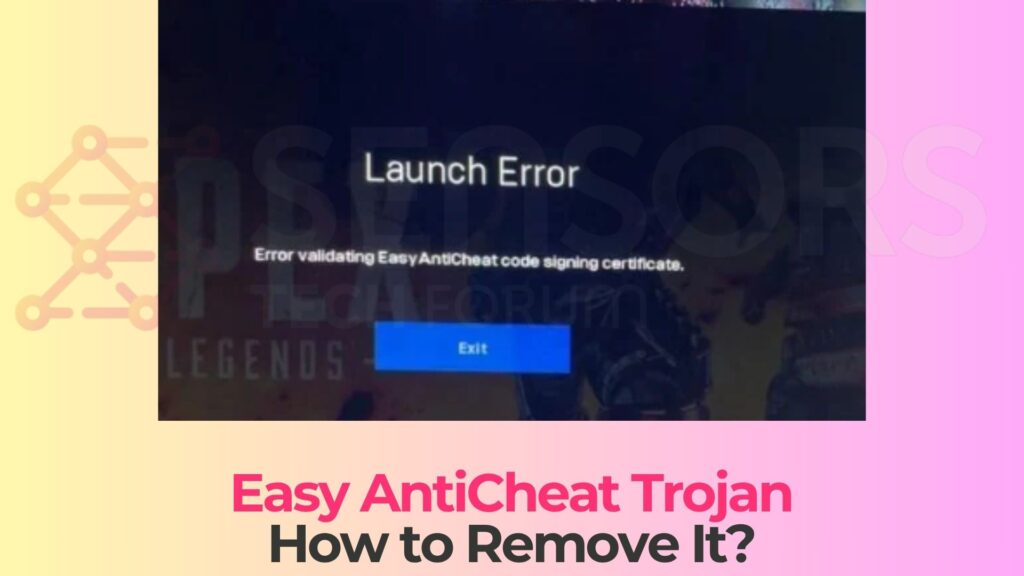
Easy AntiCheat Trojan Details
| Type | Trojan, Malware, Backdoor |
| Removal Time | Around 5 Minutes |
| Removal Tool |
See If Your System Has Been Affected by malware
Download
Malware Removal Tool
|
This type of malware falls under the computer virus category because it relies on deception rather than direct exploitation. Users unknowingly install it, believing they are installing or updating a legitimate gaming component.
How Did I Get It Easy AntiCheat Trojan?
The Easy AntiCheat Trojan is typically distributed through deceptive channels that target gamers and users searching for game-related tools or updates. Since Easy Anti-Cheat is commonly required for many popular games, attackers take advantage of this demand.
Common infection methods include:
- Fake downloads of Easy Anti-Cheat from unofficial or suspicious websites.
- Bundled installers included with pirated or cracked games.
- Malicious advertisements promoting “required updates” for specific games.
- Phishing emails or messages containing links to fake anti-cheat installers.
- Compromised forums or gaming communities distributing infected files.
Users are often tricked by professional-looking pages that imitate official download portals. These pages may include logos, installation instructions, and user reviews to appear trustworthy.
Additionally, some variants may be distributed through file-sharing platforms or torrents, where verification of authenticity is minimal. Gamers seeking quick fixes or unofficial versions of games are particularly vulnerable.
What Does Easy AntiCheat Trojan Do?
Once installed, the Easy AntiCheat Trojan can perform a wide range of malicious activities, depending on its configuration and the attacker’s objectives. Its primary function is often to serve as a backdoor, granting remote access to the infected system.
Some of the most common behaviors include:
- Establishing unauthorized remote access for cybercriminals.
- Stealing sensitive information such as login credentials and stored passwords.
- Monitoring user activity, including keystrokes and browsing behavior.
- Downloading additional malware payloads such as ransomware or spyware.
- Disabling or bypassing security software to maintain persistence.
In more advanced cases, the trojan may integrate rootkit-like capabilities, allowing it to hide deep within the operating system. This makes detection and removal significantly more difficult.
Another serious concern is the potential for account compromise. Since many users install this malware while gaming, attackers may target gaming accounts, digital wallets, or linked payment methods.
The trojan may also consume system resources, leading to reduced performance, crashes, or unusual system behavior. These symptoms are often mistaken for normal software issues, allowing the malware to remain undetected longer.
How to Remove It
Removing the Easy AntiCheat Trojan requires a comprehensive approach to ensure that all malicious components are eliminated. Because this threat may disguise itself as legitimate software, careful inspection is necessary.
Begin by identifying suspicious programs installed around the time the issue started. Any software claiming to be Easy Anti-Cheat but not obtained from an official source should be treated as potentially harmful.
Next, examine running processes using system tools to detect unusual activity. Pay attention to processes that mimic legitimate names but originate from unfamiliar directories.
It is also important to review installed browser extensions and remove any that appear suspicious or unrelated to your normal usage, especially any unknown browser extension.
Clearing browser data, including cookies and cache, can help remove any tracking elements or malicious scripts associated with the infection.
A full system scan using a reputable anti-malware solution is strongly recommended. Advanced security tools can detect hidden files, registry key entries, and persistence mechanisms used by the trojan.
Additionally, check system startup entries and scheduled tasks to ensure that no malicious processes are configured to run automatically.
Updating your operating system and software is crucial, but always ensure updates are downloaded from official sources to avoid reinfection.
Finally, avoid downloading game-related software from unofficial platforms, and verify the authenticity of any required components before installation.
What should you do?
If you suspect that your system is infected with the Easy AntiCheat Trojan, take immediate action to protect your data and privacy. Do not trust any suspicious anti-cheat prompts or installers, and ensure that all gaming-related software is obtained from official sources. Follow the removal recommendations above and use a trusted security tool to fully clean your system. Staying cautious and informed is essential in defending against such deceptive threats like a cryptovirus.

Ventsislav Krastev
Ventsislav is a cybersecurity expert at SensorsTechForum since 2015. He has been researching, covering, helping victims with the latest malware infections plus testing and reviewing software and the newest tech developments. Having graduated Marketing as well, Ventsislav also has passion for learning new shifts and innovations in cybersecurity that become game changers. After studying Value Chain Management, Network Administration and Computer Administration of System Applications, he found his true calling within the cybersecrurity industry and is a strong believer in the education of every user towards online safety and security.
Follow Me:
Preparation before removing Easy AntiCheat Trojan.
Before starting the actual removal process, we recommend that you do the following preparation steps.
- Make sure you have these instructions always open and in front of your eyes.
- Do a backup of all of your files, even if they could be damaged. You should back up your data with a cloud backup solution and insure your files against any type of loss, even from the most severe threats.
- Be patient as this could take a while.
- Scan for Malware
- Fix Registries
- Remove Virus Files
Step 1: Scan for Easy AntiCheat Trojan with SpyHunter Anti-Malware Tool
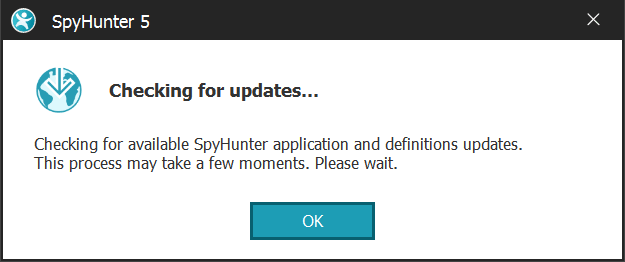
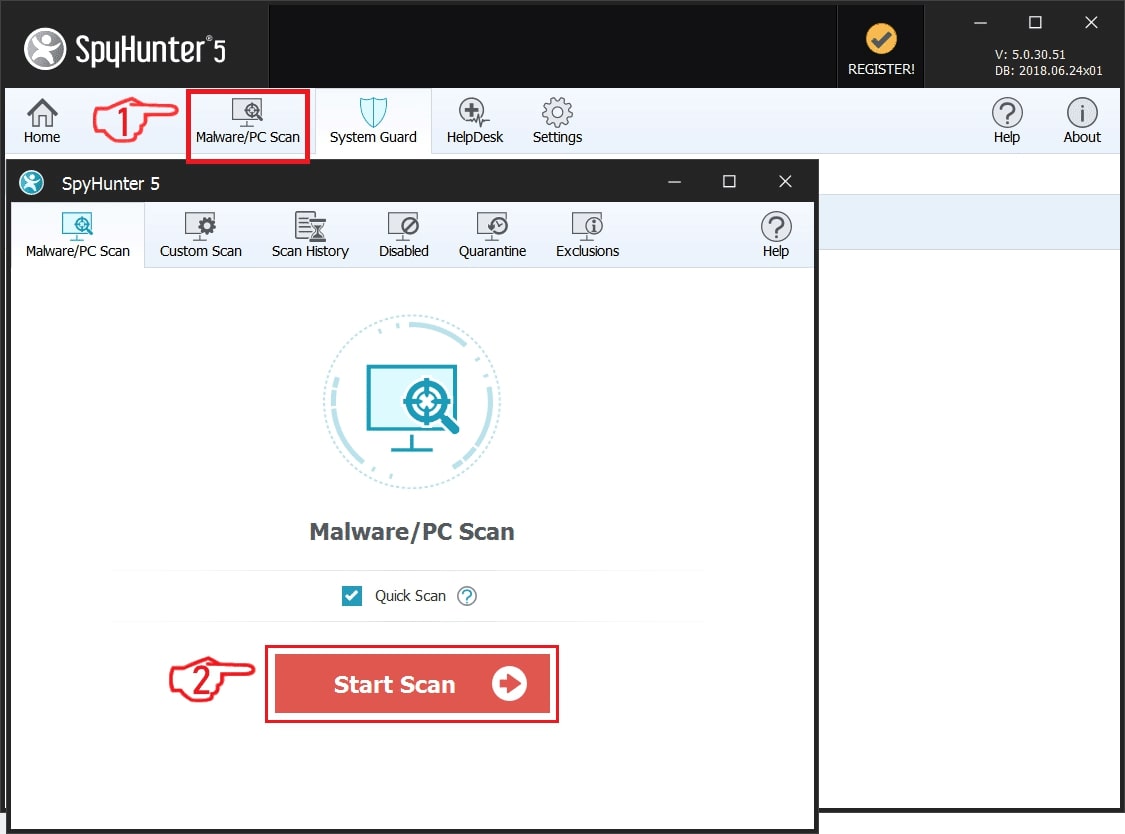
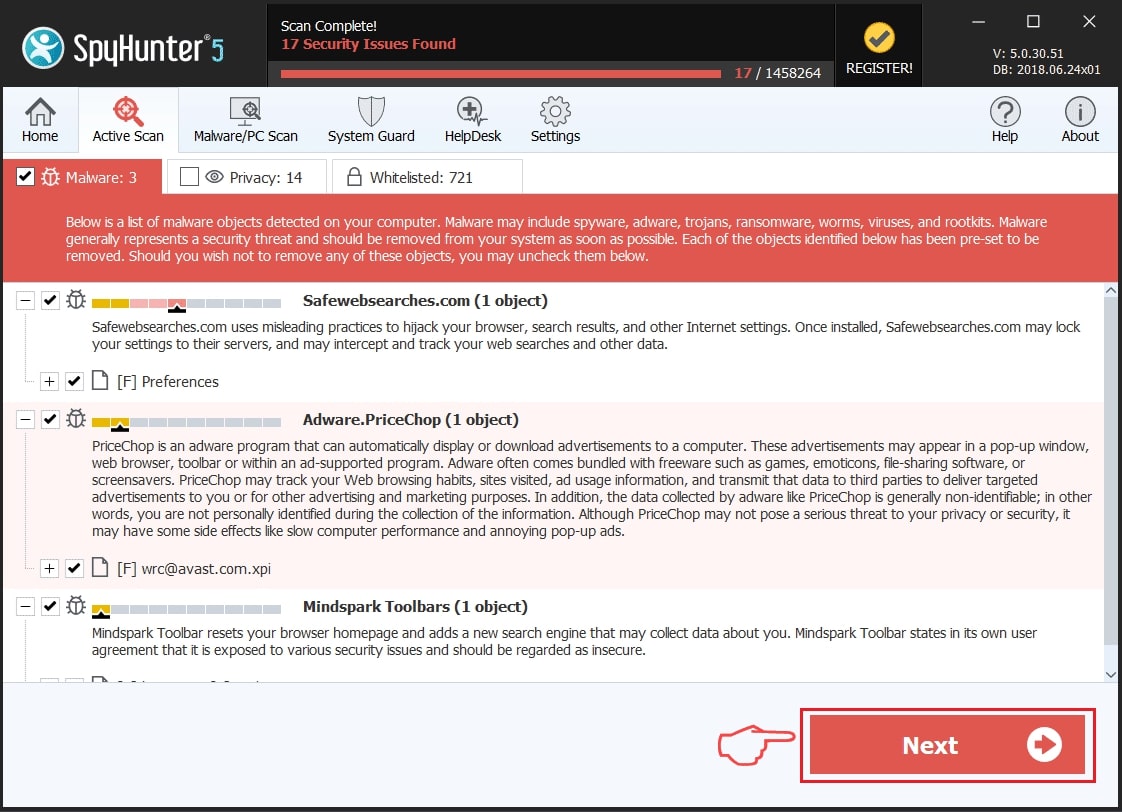
Step 2: Clean any registries, created by Easy AntiCheat Trojan on your computer.
The usually targeted registries of Windows machines are the following:
- HKEY_LOCAL_MACHINE\Software\Microsoft\Windows\CurrentVersion\Run
- HKEY_CURRENT_USER\Software\Microsoft\Windows\CurrentVersion\Run
- HKEY_LOCAL_MACHINE\Software\Microsoft\Windows\CurrentVersion\RunOnce
- HKEY_CURRENT_USER\Software\Microsoft\Windows\CurrentVersion\RunOnce
You can access them by opening the Windows registry editor and deleting any values, created by Easy AntiCheat Trojan there. This can happen by following the steps underneath:
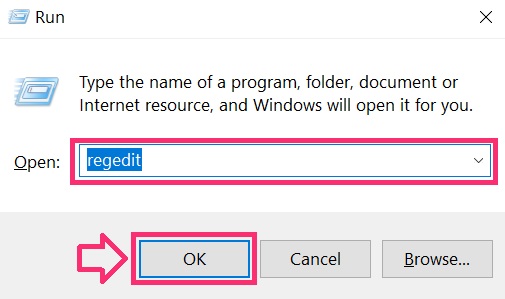
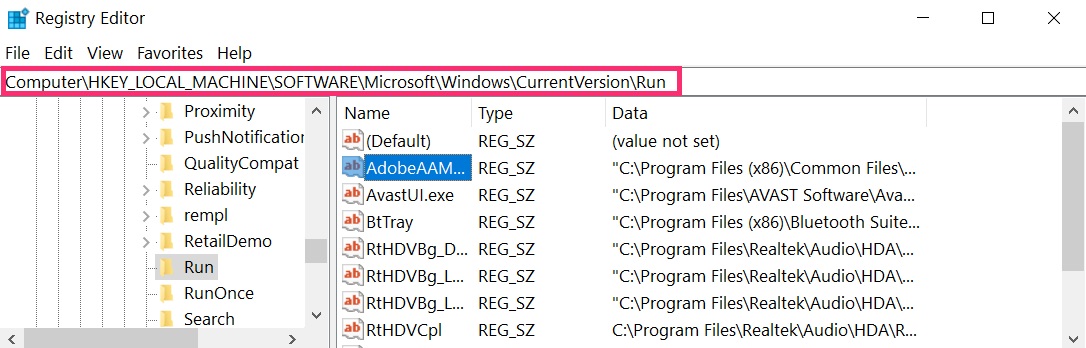
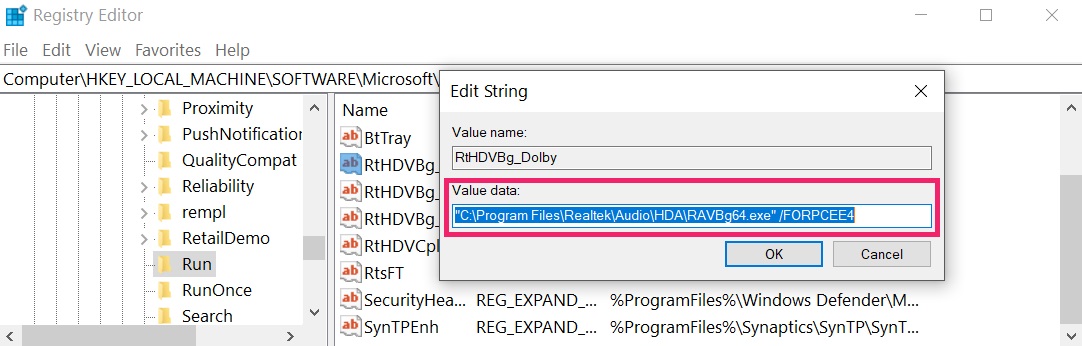 Tip: To find a virus-created value, you can right-click on it and click "Modify" to see which file it is set to run. If this is the virus file location, remove the value.
Step 3: Find virus files created by Easy AntiCheat Trojan on your PC.
1.For Windows 8, 8.1 and 10.
For Newer Windows Operating Systems
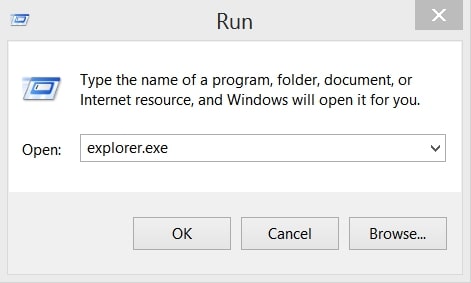
1: On your keyboard press + R and write explorer.exe in the Run text box and then click on the Ok button.
2: Click on your PC from the quick access bar. This is usually an icon with a monitor and its name is either “My Computer”, “My PC” or “This PC” or whatever you have named it.
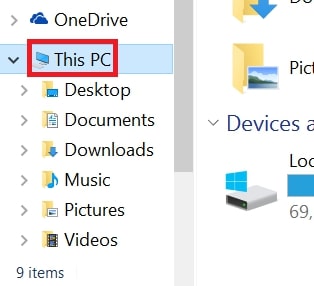
3: Navigate to the search box in the top-right of your PC's screen and type “fileextension:” and after which type the file extension. If you are looking for malicious executables, an example may be "fileextension:exe". After doing that, leave a space and type the file name you believe the malware has created. Here is how it may appear if your file has been found:
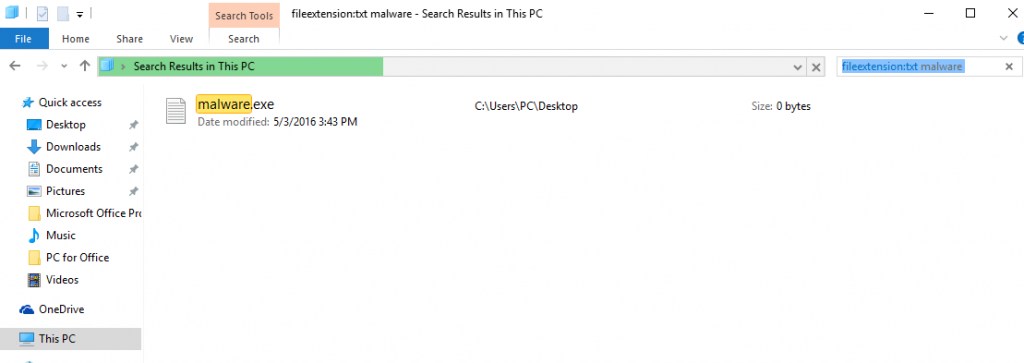
N.B. We recommend to wait for the green loading bar in the navigation box to fill up in case the PC is looking for the file and hasn't found it yet.
2.For Windows XP, Vista, and 7.
For Older Windows Operating Systems
In older Windows OS's the conventional approach should be the effective one:
1: Click on the Start Menu icon (usually on your bottom-left) and then choose the Search preference.
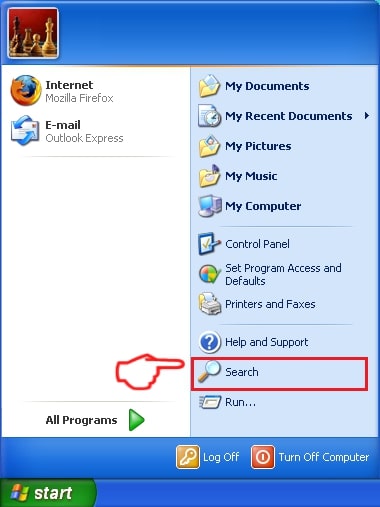
2: After the search window appears, choose More Advanced Options from the search assistant box. Another way is by clicking on All Files and Folders.
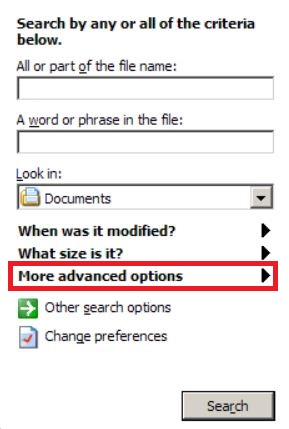
3: After that type the name of the file you are looking for and click on the Search button. This might take some time after which results will appear. If you have found the malicious file, you may copy or open its location by right-clicking on it.
Now you should be able to discover any file on Windows as long as it is on your hard drive and is not concealed via special software.
Easy AntiCheat Trojan FAQ
What Does Easy AntiCheat Trojan Trojan Do?
The Easy AntiCheat Trojan Trojan is a malicious computer program designed to disrupt, damage, or gain unauthorized access to a computer system. It can be used to steal sensitive data, gain control over a system, or launch other malicious activities.
Can Trojans Steal Passwords?
Yes, Trojans, like Easy AntiCheat Trojan, can steal passwords. These malicious programs are designed to gain access to a user's computer, spy on victims and steal sensitive information such as banking details and passwords.
Can Easy AntiCheat Trojan Trojan Hide Itself?
Yes, it can. A Trojan can use various techniques to mask itself, including rootkits, encryption, and obfuscation, to hide from security scanners and evade detection.
Can a Trojan be Removed by Factory Reset?
Yes, a Trojan can be removed by factory resetting your device. This is because it will restore the device to its original state, eliminating any malicious software that may have been installed. Bear in mind that there are more sophisticated Trojans that leave backdoors and reinfect even after a factory reset.
Can Easy AntiCheat Trojan Trojan Infect WiFi?
Yes, it is possible for a Trojan to infect WiFi networks. When a user connects to the infected network, the Trojan can spread to other connected devices and can access sensitive information on the network.
Can Trojans Be Deleted?
Yes, Trojans can be deleted. This is typically done by running a powerful anti-virus or anti-malware program that is designed to detect and remove malicious files. In some cases, manual deletion of the Trojan may also be necessary.
Can Trojans Steal Files?
Yes, Trojans can steal files if they are installed on a computer. This is done by allowing the malware author or user to gain access to the computer and then steal the files stored on it.
Which Anti-Malware Can Remove Trojans?
Anti-malware programs such as SpyHunter are capable of scanning for and removing Trojans from your computer. It is important to keep your anti-malware up to date and regularly scan your system for any malicious software.
Can Trojans Infect USB?
Yes, Trojans can infect USB devices. USB Trojans typically spread through malicious files downloaded from the internet or shared via email, allowing the hacker to gain access to a user's confidential data.
About the Easy AntiCheat Trojan Research
The content we publish on SensorsTechForum.com, this Easy AntiCheat Trojan how-to removal guide included, is the outcome of extensive research, hard work and our team’s devotion to help you remove the specific trojan problem.
How did we conduct the research on Easy AntiCheat Trojan?
Please note that our research is based on an independent investigation. We are in contact with independent security researchers, thanks to which we receive daily updates on the latest malware definitions, including the various types of trojans (backdoor, downloader, infostealer, ransom, etc.)
Furthermore, the research behind the Easy AntiCheat Trojan threat is backed with VirusTotal.
To better understand the threat posed by trojans, please refer to the following articles which provide knowledgeable details.