

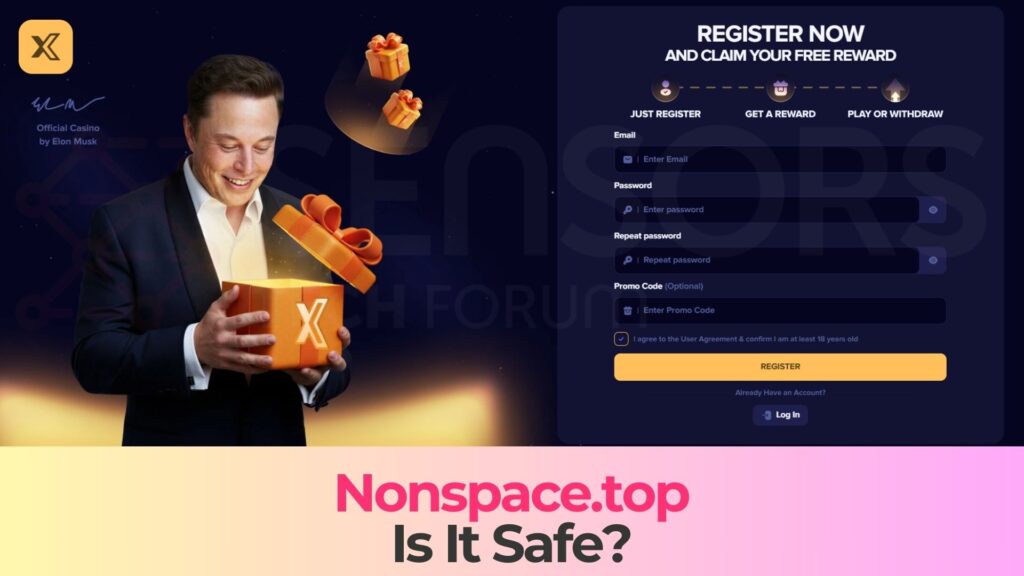
Nonspace.top – Is It Safe? Complete Scam Check and Cybersecurity Analysis
If you have encountered Nonspace.top and are wondering whether it is safe to use, read this article to find out everything you need to know. Suspicious websites are becoming increasingly sophisticated, often disguising themselves as legitimate platforms while operating scams in the background. Nonspace.top appears to be one such dangerous site that may attempt to extract sensitive data from your device. In this detailed scam check, we will analyze how Nonspace.top operates, what risks it poses, and what you should do to protect yourself.
What is Nonspace.top?
Nonspace.top is a questionable website that raises serious red flags regarding user safety and data privacy. Based on behavioral indicators and reported user experiences, this domain may function as part of a broader online scam network. Sites like Nonspace.top are often designed to deceive visitors into interacting with malicious scripts, fake forms, or fraudulent subscription services.
Short Overview
| Type | Fake website, Scam, Browser Hijacker, Redirect, PUP |
| Short Description | A suspicious website and rogue search engine that hijacks your browsers and causes redirects. |
| Symptoms | Unwanted pop-ups may start appearing while you are browsing the web. A browser hijacker may be downloaded without your knowledge. |
| Removal Time | Approximately 15 minutes for a full-system scan |
| Removal Tool |
See If Your System Has Been Affected by malware
Download
Malware Removal Tool
|
Cybersecurity analysis suggests that Nonspace.top may be involved in one or more of the following malicious activities:
- phishing attempts aimed at collecting login credentials, email addresses, and passwords.
- Fake verification prompts that request personal or financial information.
- malicious redirects to third-party scam or exploit pages.
- Browser notification abuse designed to deliver intrusive advertisements.
- Drive-by download attempts that may install unwanted or harmful software.
Websites categorized as suspicious domains often use aggressive social engineering tactics. Nonspace.top may display urgent messages such as “Confirm you are not a robot,” “Your device is infected,” or “Click Allow to continue.” These prompts are typically designed to manipulate users into granting permissions that can later be exploited.
How Did I Get It?
Many users report encountering Nonspace.top unexpectedly while browsing unrelated websites. This is usually not a coincidence. Suspicious domains frequently rely on traffic distribution systems and malicious advertising networks to redirect users.
You may have been redirected to Nonspace.top through one of the following methods:
- Clicking on a deceptive advertisement or pop-ups banner.
- Visiting a compromised or low-reputation website.
- Interacting with pirated content platforms that host aggressive ad scripts.
- Having adware installed on your device that forces browser redirects.
- Opening a malicious email link disguised as a legitimate notification.
In some cases, ad-supported software (adware) installed on a system can modify browser settings without clear consent. This can result in frequent redirects to scam-related domains such as Nonspace.top. Adware often bundles with free software downloads, browser extensions, or unofficial installers.
If you are seeing Nonspace.top repeatedly, this may indicate the presence of a potentially unwanted program (PUP) on your system that is actively generating traffic to suspicious domains.
What Does It Do?
The primary danger associated with Nonspace.top lies in its potential to harvest sensitive information and expose users to further cybersecurity threats. Scam websites operate with the goal of monetization through deception, and Nonspace.top may employ several harmful techniques.
Once accessed, the site may:
- Attempt to collect personal information through fake registration or verification forms.
- Request credit card details under the pretense of subscription confirmation.
- Trigger fake virus alerts to push rogue security software.
- Prompt users to enable browser notifications that later deliver scam advertisements.
- Redirect users to exploit kits that attempt to leverage browser vulnerabilities.
One particularly common tactic is browser notification abuse. If you click “Allow” on a notification request from Nonspace.top, the site can send persistent push notifications directly to your desktop or mobile device. These notifications may contain:
- Links to phishing pages.
- Fake giveaway scams.
- Cryptocurrency fraud schemes.
- Malware download prompts.
- Adult content redirects designed to generate affiliate revenue.
In more severe cases, interacting with suspicious scripts on such domains could lead to data collection. This means attackers may attempt to collect:
- IP address and geolocation data.
- Browser fingerprinting information.
- Stored cookies and session tokens.
- Email addresses and login credentials.
While simply visiting the site does not automatically mean your device is infected, engaging with its content significantly increases your risk. Cybercriminals rely on user interaction to execute their scams effectively.
Is Nonspace.top Safe?
Based on observable behavior patterns and typical scam infrastructure characteristics, Nonspace.top cannot be considered safe. Its structure and delivery mechanisms align with known scam tactics used in phishing and ad-fraud campaigns.
Key safety concerns include:
- Lack of transparent ownership or company identification.
- Use of misleading security prompts.
- High frequency of redirects and pop-ups.
- Potential data harvesting mechanisms.
- Association with malicious advertising networks.
Legitimate websites do not typically require intrusive permissions or display alarming security messages without verified cause. When a site pressures you into immediate action, especially involving personal information, it is a strong indicator of malicious intent.
How to Remove It
If you have interacted with Nonspace.top or are experiencing repeated redirects, it is important to take immediate action. The presence of persistent pop-ups or suspicious notifications may indicate browser-level compromise or adware installation.
You should carefully inspect your browser extensions, remove any unfamiliar add-ons, and review notification permissions granted to suspicious domains. Additionally, performing a comprehensive system scan with reputable anti-malware software can help detect and eliminate potentially unwanted programs or hidden threats.
Clearing browser cache, deleting cookies, and resetting browser settings may also help eliminate residual trackers associated with scam websites. Acting promptly reduces the risk of prolonged exposure to malicious content.
How to Protect Yourself from Scam Websites Like Nonspace.top
Prevention is critical when dealing with scam websites. Strengthening your digital hygiene practices can significantly lower your exposure to threats like Nonspace.top.
- Avoid clicking on suspicious ads or unknown links.
- Do not grant notification permissions to untrusted websites.
- Keep your operating system and browser updated.
- Use reputable security software with real-time protection.
- Enable phishing and scam protection features in your browser.
Cybercriminals constantly evolve their tactics, but awareness remains your strongest defense. Recognizing social engineering techniques and avoiding impulsive clicks can prevent many attacks before they begin.
What Should You Do?
If you suspect that Nonspace.top has compromised your privacy or exposed your data, do not ignore the warning signs. Scam websites can escalate quickly, leading to identity theft, financial fraud, or malware infections. Take immediate action to secure your device, review your accounts for unusual activity, and remove any suspicious software.
Follow the removal instructions provided below to eliminate potential threats and restore your system’s security. Acting now can prevent long-term damage and protect your sensitive information from falling into the wrong hands.

Ventsislav Krastev
Ventsislav is a cybersecurity expert at SensorsTechForum since 2015. He has been researching, covering, helping victims with the latest malware infections plus testing and reviewing software and the newest tech developments. Having graduated Marketing as well, Ventsislav also has passion for learning new shifts and innovations in cybersecurity that become game changers. After studying Value Chain Management, Network Administration and Computer Administration of System Applications, he found his true calling within the cybersecrurity industry and is a strong believer in the education of every user towards online safety and security.
Follow Me: