

What is the Geek Squad Subscription Scam?
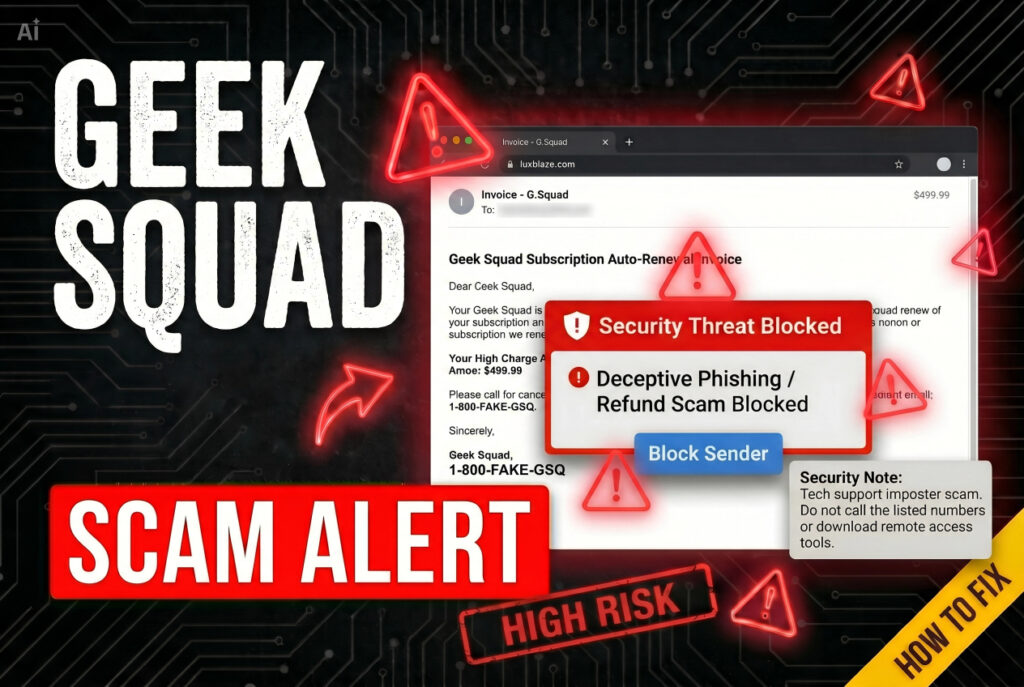
An email or text just told you a Geek Squad subscription renewed for several hundred dollars, complete with an invoice, a transaction ID, and a phone number to call if you want to dispute it. Before you panic and dial that number, read this fully — it’s almost certainly a scam, and the guide below covers exactly what to do.
The Geek Squad Subscription scam is a widespread phishing campaign that impersonates Best Buy’s tech support brand. The FTC has tracked this exact scheme directly, describing messages claiming you were or will be charged hundreds of dollars to renew a Geek Squad membership, with a phone number you’re told to call within 24 hours to dispute it. According to data cited in recent reporting, roughly 52,000 people reported Geek Squad impersonation scams in 2023 alone, more than the reports involving Amazon and PayPal combined — making it one of the most impersonated brands in cybercrime today.
Short Overview
| Type | Phishing scam impersonating Best Buy’s Geek Squad tech support brand via fake subscription renewal emails and texts. Designed to lure victims into calling a fraudulent support number. |
| Symptoms | Unexpected email or text claiming a Geek Squad subscription auto-renewed for several hundred dollars. A fake invoice with logos, transaction IDs, and a 24-hour deadline to dispute. A phone number prompting a call instead of account verification. Pressure during the call to install remote access software or share banking details. |
| Removal Time | Approximately 15 minutes for a full-system scan |
| Removal Tool | See If Your System Has Been Affected by malware
Download
Malware Removal Tool
|
How Did I Get This Geek Squad Email?
You don’t need an actual Geek Squad account to receive one of these messages. Here is how the scam typically reaches people:
- Mass phishing distribution — Scammers obtain email addresses from data breaches, social media scraping, or purchased data broker lists, then blast the same renewal notice to a huge number of recipients regardless of whether they’ve ever used Geek Squad.
- A convincingly formatted fake invoice — The email includes realistic logos, transaction IDs, invoice numbers, and a specific dollar amount, typically in the $300–$600 range, designed to feel substantial enough to cause alarm but plausible enough not to trigger immediate disbelief.
- A lookalike sender address — The message comes from an address that mimics the real Geek Squad domain with subtle alterations, something easy to miss when you’re reading quickly under perceived time pressure.
- Manufactured urgency — A 24-hour deadline to “dispute” the charge is built in specifically to short-circuit careful verification before you call the number provided.
What Does the Geek Squad Scam Do?
The real damage happens after you call the number in the email, not from the email itself. Here is what happens next:
- Connects you to a fake support agent — The number routes directly to a scammer posing as Geek Squad support, ready to “help” dispute the fictional charge.
- Requests remote access to your device — The fake agent asks for remote access software such as AnyDesk or TeamViewer to “process the refund,” which instead gives them direct control of your computer.
- Installs spyware and steals banking credentials — Once granted access, the scammer can install spyware, harvest online banking credentials, and drain funds directly from your accounts.
- Runs a fake overpayment follow-up — In a common variant, the scammer claims to have refunded too much and asks you to wire back the difference, a transaction that comes directly out of your own account since no real refund was ever sent.
What Should You Do?
Do not call any number listed in the email, and do not click any links inside it. If you have a real Best Buy or Geek Squad account, verify any charge by logging into your account directly at BestBuy.com or opening the official app, not through anything in the email. If you’ve already called the number and granted remote access, disconnect the device from the internet immediately, uninstall any remote access software the caller had you install, and contact your bank to freeze or dispute any related transactions. Change passwords for your banking, email, and any other sensitive accounts from a separate, clean device. Report the email to the FTC at ReportFraud.ftc.gov and forward it to Best Buy’s official abuse address. Follow the complete guide below this article to scan your device for any spyware that may have been installed during the call.

Ventsislav Krastev
Ventsislav is a cybersecurity expert at SensorsTechForum since 2015. He has been researching, covering, helping victims with the latest malware infections plus testing and reviewing software and the newest tech developments. Having graduated Marketing as well, Ventsislav also has passion for learning new shifts and innovations in cybersecurity that become game changers. After studying Value Chain Management, Network Administration and Computer Administration of System Applications, he found his true calling within the cybersecrurity industry and is a strong believer in the education of every user towards online safety and security.
Follow Me: