

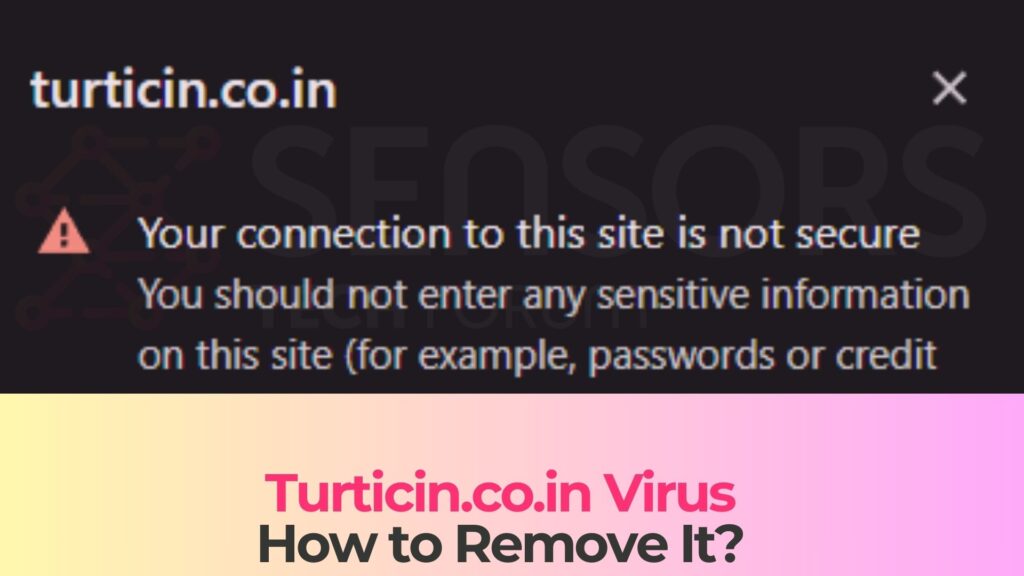
If Turticin.co.in suddenly started spamming notifications on your screen, you’re probably wondering: “Is Turticin.co.in safe, or is it a virus?” This article explains exactly what this domain is, why it appears in your browser, what risks it carries, and how you should react to keep your system secure. Read this article to find out what Turticin.co.in does, why its notifications can be dangerous, and what you should do next to protect your data and device.
What Is Turticin.co.in?
Turticin.co.in is a rogue website associated with aggressive browser notification spam, intrusive advertising, and potentially unwanted or malicious redirects. It is not a traditional file-infecting virus, but it behaves like a browser-based threat that abuses the push notification feature built into modern web browsers to deliver unwanted content.
Analyses of this domain classify it as a malicious or highly suspicious site that tries to trick users into subscribing to its notifications, and then uses those notifications to push spam adverts and risky content.
In short, Turticin.co.in is not safe to interact with and should be treated as part of a broader adware / notification-spam ecosystem rather than a legitimate service.
Short Overview
| Type | Scam, Fake Website, Browser Hijacker, Redirect, PUA |
| Short Description | A suspicious website and rogue search engine that hijacks your browsers and causes redirects. |
| Symptoms | Unwanted pop-ups may start appearing while you are browsing the web. A browser hijacker may be downloaded without your knowledge. |
| Removal Time | Approximately 15 minutes for a full-system scan |
| Removal Tool |
See If Your System Has Been Affected by malware
Download
Malware Removal Tool
|
Turticin.co.in – Scam, “Virus”, or Just Ads?
From a technical standpoint, Turticin.co.in:
- Acts like a notification spammer – Its primary goal is to get you to click “Allow” in your browser’s notification prompt so it can send endless push notifications with ads and scam content.
- Behaves like a scammy domain – Reputation checks show a very low trust score and flag it as a high-risk website, which means it may be part of fraudulent or harmful campaigns rather than a legitimate business.
- Is associated with malware-related risks – The notifications and redirects can lead to phishing pages, fake system alerts, tech support scams, and sites distributing potentially unwanted programs (PUPs) or outright malware.
- May alter browser behavior – In some cases, related adware or configuration changes can tamper with your browser settings, such as home page, new tab page, or default search engine, in order to push even more ads.
Because of this, many security researchers and removal guides refer to Turticin.co.in as a virus or “Turticin.co.in virus,” even though the underlying mechanism relies mainly on social engineering and notification abuse rather than self-replicating code.
Typical Social Engineering Tricks Used by Turticin.co.in
Like many other malicious .co.in notification domains, Turticin.co.in typically shows deceptive messages designed to make you click “Allow.” These messages might claim that you need to:
- “Click Allow to confirm you are not a robot”,
- “Press Allow to watch the video”,
- “Click Allow to download the file”,
- “Enable notifications to continue” or “to close this page”.
All of these prompts are fake – they exist purely to force you into enabling notifications so the site can later bombard you with spam and dangerous malicious redirects.
How Did I Get Turticin.co.in Notifications?
Most users do not visit Turticin.co.in on purpose. Instead, they are redirected to it through malvertising, shady ad networks, or adware-like components on their device. Many similar .co.in domains have been observed appearing after users click on suspicious adverts, interact with questionable streaming portals, or install bundled software that opens rogue pages in the browser.
Common scenarios that lead to Turticin.co.in include:
- Clicking deceptive ads on streaming, torrent, file-sharing, adult, or “free movie” sites that open extra tabs or windows.
- Landing on hacked or compromised sites that silently redirect you to multiple advertising and scam domains, one of which may be Turticin.co.in.
- Installing freeware or cracked software from unofficial sites, which may drop adware or configure your browser to open unwanted pages on startup.
- Interacting with fake system notifications or updates that are actually just web pop-ups leading to malicious landing pages.
Why the “Allow Notifications” Trick Works
Modern browsers support push notifications so websites can send you alerts, updates, or messages even when the site isn’t open. Legitimate services (email clients, social networks, collaboration tools, etc.) use this to deliver useful, expected content.
Rogue sites like Turticin.co.in, however, exploit this feature:
- They show a full-screen or heavily obfuscated page that hides the true intent of the permission request.
- They use urgent or misleading wording to convince you that clicking “Allow” is required to access content, finish a CAPTCHA, or proceed with a download.
- Once permission is granted, they can send notifications directly to your desktop or mobile device, bypassing normal pop-up blockers.
Because the permission is technically granted by the user, the browser treats these notifications as legitimate – even though the content they deliver can be highly malicious or fraudulent.
What Does Turticin.co.in Do?
Once Turticin.co.in has permission to send notifications, it effectively becomes a spam channel on your system. Instead of legitimate alerts, you start receiving unsolicited notifications that promote all sorts of unwanted or dangerous content.
Security analyses of Turticin.co.in and similar domains describe them as threats used to capture data and push aggressive advertising campaigns, sometimes combined with unwanted browser changes.
Typical Behavior of Turticin.co.in
After interacting with the site and allowing notifications, you may see:
- Frequent push notifications appearing in the corner of your screen, on the lock screen, or in your browser even when you are not on the Turticin.co.in site.
- Ads and pop-ups linking to unsafe sites – these may include fake giveaways, “You’ve won a prize” scams, crypto or investment fraud pages, fake antivirus alerts, or adult content.
- Redirect chains that move you from one shady domain to another, attempting to get you to download unwanted software or disclose personal information.
- Privacy-invading tracking – ad scripts may track your IP address, browser type, rough location, and browsing behavior for profiling and ad targeting.
- Browser configuration changes in some cases, if related adware is present, such as modifications of your homepage, new tab page, or default search provider to ad-heavy or fake search engines.
Symptoms That Suggest Turticin.co.in Is Active
If Turticin.co.in (or a similar rogue domain) is active on your system, you may notice:
- Notifications appearing with the Turticin.co.in domain name in their header or URL preview.
- Ads showing up even when your browser is minimized or when you are visiting completely unrelated sites.
- Unexpected tabs opening by themselves with adult content, fake security alerts, or “update your browser/Flash/driver” messages.
- Your browser’s list of allowed notification senders containing Turticin.co.in and possibly other strange domains.
- General slowdowns, distraction, or difficulty browsing due to constant interruptions from pop-up notifications.
Security and Privacy Risks of Turticin.co.in
While Turticin.co.in itself is “just” a web page, the ecosystem around it can expose you to a range of cyber-risks:
- Malware infections – Notifications and redirects can lead to downloads of trojans, adware, browser hijackers, or other unwanted programs disguised as updates, media players, or essential tools.
- Phishing and credential theft – Some landing pages might imitate online banking, email services, cloud storage, or social networks to steal logins and personal data.
- Financial scams – You may encounter fake investment platforms, crypto scams, or fake tech support fraud asking you to pay for “fixes” or “premium support”.
- Loss of privacy – Tracking scripts and ad networks can build detailed behavioral profiles, which are then used to target you with more aggressive or personalized scams.
- Higher overall attack surface – Each malicious redirect or download increases the chance you will eventually hit a page that exploits a browser, plugin, or OS vulnerability.
Because of these cumulative risks, security specialists generally recommend treating Turticin.co.in as a high-risk notification spam threat that warrants immediate attention.
How to Remove It
Dealing with Turticin.co.in is less about removing a single file and more about cleaning up browser permissions, checking for adware, and hardening your security settings. The good news is that, once identified, it can be neutralized by reversing the permission that allowed it to send notifications and by eliminating related unwanted software.
Conceptual Overview of the Removal Process
In a typical cleanup scenario, you will want to:
- Revoke notification access for Turticin.co.in (and any other suspicious domains) in your browser’s notification or site settings so it can no longer push content to your device.
- Inspect installed extensions and add-ons and remove those you do not recognize, especially ones tied to ads, coupons, or “search enhancers”. These may include a rogue browser extension.
- Scan your system with a reputable anti-malware solution to detect and remove potentially unwanted programs, browser hijackers, and other threats that may be responsible for repeated redirects.
- Reset or repair browser settings if your homepage, new tab, or default search engine were modified without your consent.
- Clear temporary data (cache, cookies, site data) to break tracking and session persistence related to rogue ad networks.
The exact actions and menus depend on the browser (Chrome, Edge, Firefox, etc.) and operating system you use, which is why a dedicated, step-by-step removal guide is usually the safest way to follow through.
Why It’s Important Not to Ignore Turticin.co.in
Even if you only see “annoying ads,” ignoring Turticin.co.in is risky. Push notifications are persistent and highly visible, making them a powerful vector for scams and malware distribution. The longer your system remains exposed to this stream of content, the higher the chance that a single mistaken click leads to a dangerous download, a leaked password, or financial loss.
Taking the time to fully remove Turticin.co.in, audit your browser permissions, and run a system scan significantly reduces your exposure to ongoing threats from this and other related domains.
What Should You Do?
If you are seeing Turticin.co.in notifications or have landed on this domain, treat it as a warning sign that your browser and possibly your system are being targeted by a notification spam campaign. The safest course of action is to stop interacting with any content coming from Turticin.co.in, close any suspicious tabs, and then follow a trusted, detailed removal procedure.
Use the comprehensive removal instructions provided right below this article to revoke malicious notifications, clean your browsers, and scan your device for any hidden adware or malware components. Acting now will help you restore a clean, distraction-free browsing experience and protect your personal data from further abuse.

Ventsislav Krastev
Ventsislav is a cybersecurity expert at SensorsTechForum since 2015. He has been researching, covering, helping victims with the latest malware infections plus testing and reviewing software and the newest tech developments. Having graduated Marketing as well, Ventsislav also has passion for learning new shifts and innovations in cybersecurity that become game changers. After studying Value Chain Management, Network Administration and Computer Administration of System Applications, he found his true calling within the cybersecrurity industry and is a strong believer in the education of every user towards online safety and security.
Follow Me: